Building a WhatsApp AI Agent with CRM Integration (2026 Guide)
How to build a WhatsApp AI agent on the Cloud API, wired to your CRM via tool calling: the webhook architecture, setup steps, and the 24-hour window.
Building a WhatsApp AI Agent with CRM Integration (2026 Guide)
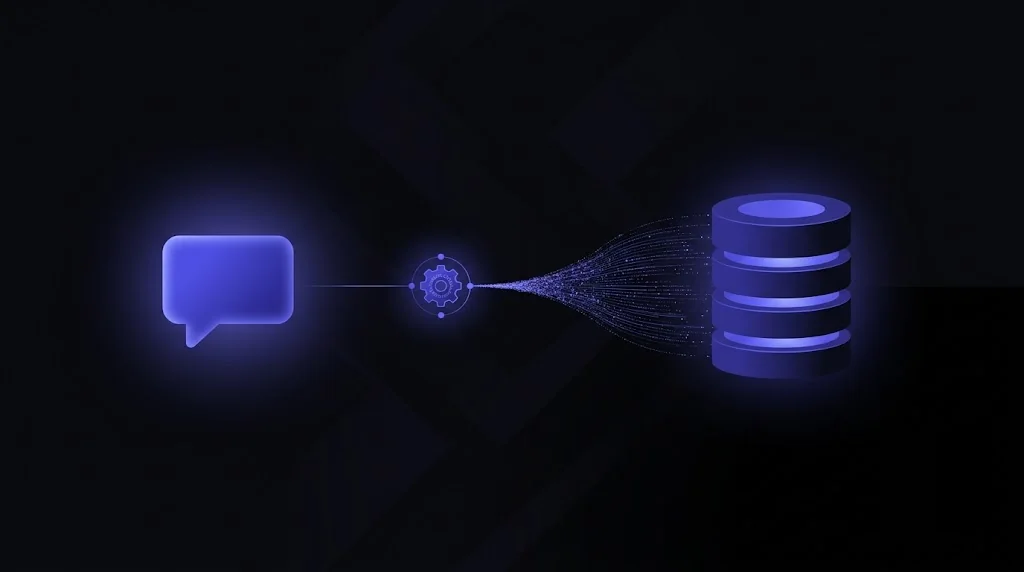
The short version: a WhatsApp AI agent is a loop. The WhatsApp Cloud API delivers an inbound message to your webhook; your backend passes the message plus conversation context to an LLM; the LLM uses tool calling to read and write your CRM; then you send the reply back through the Cloud API Send Message endpoint. It is the exact same function-calling pattern as a web chatbot, only the channel is WhatsApp.
If you are still weighing the category, our overview of WhatsApp AI agents for sales and support covers the why. This post is the how: the architecture, the setup steps, how the agent writes to the CRM, and the one constraint that shapes every design decision, the 24-hour window.
How does a WhatsApp AI agent work?
At runtime there are four moving parts, and they run on every message:
- A customer sends a WhatsApp message. The Cloud API posts a webhook event to your backend with the message body, the sender’s phone number, and any referral context.
- Your backend assembles context (recent history, the matched CRM contact) and calls the LLM with your tool schema.
- The model either replies in prose or emits a tool call. Your handler validates the arguments, runs the CRM API request, and returns the result so the model can continue.
- Your backend sends the reply back via the Cloud API Send Message endpoint.
A trimmed inbound webhook payload looks like this (illustrative, not an exact schema):
{
  "field": "messages",
  "value": {
    "contacts": [{ "wa_id": "9715XXXXXXXX", "profile": { "name": "Layla" } }],
    "messages": [{
      "from": "9715XXXXXXXX",
      "type": "text",
      "text": { "body": "Do you have availability next week?" },
      "referral": { "source_type": "ad", "source_id": "6-...", "headline": "..." }
    }]
  }
}
Notice the referral block: on a click-to-chat ad it carries the campaign context you will write straight to the CRM. If you have already built a web chatbot, none of this loop is new; our guide on connecting an AI chatbot to HubSpot, Salesforce and Zoho applies directly, because the tools are the same.
How do you set it up?
Standing up the channel is a sequence of Meta and backend steps. You do the Meta setup once, then the backend is ordinary web-service work:
| # | Step | What it does |
|---|---|---|
| 1 | Create a Meta Business account + WhatsApp Business Account | The identity your number and app live under |
| 2 | Add a phone number and generate an access token | The credentials your backend uses to send messages |
| 3 | Set up and verify the webhook, subscribe to messages | Meta posts inbound events to your endpoint |
| 4 | Handle inbound webhook events | Parse the message, sender, and referral context |
| 5 | Call the LLM with your tool schema | The model decides which CRM tool to invoke |
| 6 | Implement the CRM tool functions | Each tool maps to one CRM REST call |
| 7 | Send replies via the Cloud API Send Message endpoint | The agent’s outbound message |
| 8 | Register message templates | Approved messages to re-engage outside the 24-hour window |
Steps 1 to 3 are the Meta-side plumbing; steps 4 to 8 are your application. Because the number is a real WhatsApp Business number, keep the webhook idempotent - Meta can redeliver events, so dedupe on the message ID and never process the same message twice.
How does it write to the CRM?
Through function calling, exactly as a chat or voice agent does. You give the model a set of tools with JSON-schema parameters; instead of replying in prose it emits a structured call, your code validates and executes it against the CRM, and the result flows back into the conversation. Here is the typical WhatsApp tool set mapped to its CRM action:
| Tool | CRM action |
|---|---|
lookup_contact | Find the sender by phone before replying |
log_message | Store the message on the contact timeline |
qualify_lead | Write qualification answers and a score |
book_meeting | Drop a discovery call on a rep’s calendar |
create_deal | Open an opportunity when the lead qualifies |
A minimal tool schema for logging the conversation, illustrative:
{
  "name": "log_message",
  "description": "Log a WhatsApp message against the CRM contact.",
  "parameters": {
    "type": "object",
    "properties": {
      "phone": { "type": "string", "description": "E.164, e.g. +9715XXXXXXXX" },
      "direction": { "type": "string", "enum": ["inbound", "outbound"] },
      "body": { "type": "string" },
      "source": { "type": "string", "description": "e.g. whatsapp or whatsapp:ad" }
    },
    "required": ["phone", "direction", "body"]
  }
}
The big convenience versus a web form: the phone number arrives already verified, because it is WhatsApp. That makes it your natural dedupe key. Capture the same core fields you would on any lead - name, phone (already E.164 and verified), source, first_conversation_url or referral, and any UTM or ad IDs - so every WhatsApp lead stays traceable and attributable, the same discipline covered in how to build a cost-efficient lead-gen chatbot with CRM integration.
Capturing leads from click-to-WhatsApp ads
Click-to-WhatsApp ads are the highest-intent entry point. Tapping the ad opens a chat and a 72-hour free messaging window, and the first inbound webhook carries the referral block with the ad and campaign context. Read that payload and write the source, ad ID, and campaign to the CRM on contact creation. No pixel, no landing-page tracking, no lost attribution - the channel hands you the campaign data for free.
How does the 24-hour window affect design?
This is the constraint that shapes everything. WhatsApp meters business-initiated messaging through the 24-hour customer-service window:
- Inside the window (the customer has messaged you within the last 24 hours), your agent can send free-form service messages for free. This is where an AI agent shines - it can hold a natural, unrestricted conversation.
- Outside the window, you cannot send free text. To re-engage you must send a pre-approved, billed message template.
Two design implications follow. First, resolve inside the window: architect the agent to answer, qualify, and book within that 24-hour span so the bulk of your messaging stays free and conversational. Second, use templates deliberately for the cases that genuinely need re-engagement (an abandoned qualification, a booking reminder), and get them approved in advance. The click-to-WhatsApp ad path gives you the more generous 72-hour window to work with, which is another reason those ads convert so well.
Because the window governs both UX and cost, it also governs when you write to the CRM. Log messages and qualification as they happen (they are cheap), but if a follow-up would land outside the window, let a CRM workflow trigger an approved template rather than trying to force a free message the API will reject.
Guardrails you cannot skip
Function calling puts the model’s hand on your production CRM and on a customer-facing channel, so the guardrails are not optional:
- Opt-in and consent before any template message. This is a WhatsApp policy requirement and, under UAE TDRA rules, a marketing one too.
- Validate every tool call server-side. Enums, owner IDs, and stage names come from your code, never from the model’s imagination.
- Dedupe on the phone number (and on the message ID for webhook redeliveries) so you never create duplicate contacts or double-process a message.
- Human handoff. When the agent hits its limits, escalate to a live rep with the full transcript, so the customer never repeats themselves.
- PDPL and TDRA compliance. Personal data written to the CRM - the phone number, the transcript, the qualification - falls under the UAE Personal Data Protection Law, so you need a stated purpose, consent, and control over data residency. Offer Arabic and English on the same number for GCC audiences.
- Log every message and tool call for audit and debugging.
Should you use MCP?
Increasingly, yes. MCP connectors are emerging for both WhatsApp and the major CRMs, and they are becoming the clean integration layer. A CRM MCP server exposes create_contact, log_message, and qualify_lead as standard Model Context Protocol tools, so you wire each CRM once instead of hand-coding its API into every agent. Your WhatsApp agent, your web chatbot, and an internal ops agent then consume the same server. The full argument, and the per-CRM API mapping, is in our chatbot CRM integration guide. If you go this route, our skills and plugins development practice builds exactly these connectors.
The bottom line
Building a WhatsApp AI agent with CRM integration is a function-calling problem on a metered channel. Stand up the Cloud API webhook, pass each inbound message to the LLM with your tool schema, map each tool to one CRM call, and write the same core fields every time - with the phone number already verified for you. Design around the 24-hour window so most of your messaging stays free and natural, lean on click-to-WhatsApp ads for high-intent, pre-attributed leads, and keep the compliance and guardrails tight from day one.
NomadX is an AI agents consultancy in Dubai that builds WhatsApp agents wired into HubSpot, Salesforce, and Zoho for UAE and GCC teams - with verified-lead capture, PDPL-safe data handling, and human handoff built in. If you want a WhatsApp agent qualifying and booking leads while writing clean, attributable data to your CRM - through AI agent development and enterprise AI integration - book a free 30-minute consultation.
Frequently Asked Questions
How do you build a WhatsApp AI agent that updates your CRM?
A WhatsApp AI agent runs on the WhatsApp Cloud API: inbound messages hit your webhook, your backend passes the message plus context to an LLM, and the LLM uses tool calling to read and write your CRM (lookup_contact, log_message, qualify_lead, book_meeting, create_deal). You then send the reply back through the Cloud API Send Message endpoint. It is the same function-calling pattern as a web chatbot, running on the WhatsApp channel.
What is the 24-hour window in the WhatsApp Cloud API?
The 24-hour customer-service window opens each time a customer messages you. Inside it, your AI agent can send free-form service messages for free; outside it, you must use a pre-approved message template (which is billed) to re-engage. Design the agent to resolve the conversation inside the window so most replies stay free and natural.
How does a WhatsApp AI agent write leads to the CRM?
Through function-calling tools mapped to CRM API calls. Each tool (create_contact, log_message, qualify_lead, book_meeting, create_deal) executes one REST request against HubSpot, Salesforce, or Zoho. The phone number arrives already verified because it is WhatsApp, so capture name, phone, source, first_conversation_url or referral, and any ad or UTM IDs on every record for clean attribution.
Do WhatsApp click-to-chat ads help lead capture?
Yes. Click-to-WhatsApp ads open a 72-hour free messaging window and pass ad and referral context into the first message. Your webhook can read that referral payload and write the campaign, ad ID, and source straight to the CRM, so every WhatsApp lead is attributable back to the ad that produced it without any extra tracking code.
What compliance rules apply to a WhatsApp AI agent in the UAE?
You need opt-in consent before sending template messages, and all personal data written to the CRM falls under the UAE PDPL, so you need a stated purpose and control over where data lives. Respect TDRA marketing rules, offer Arabic and English, validate every tool call server-side, and log every message and tool call for audit.
Complementary NomadX Services
Related Articles
Get Started for Free
Schedule a free consultation with our AI agents team. 30-minute call, actionable results in days.
Every engagement is scoped by our principal architect, Adrian Vale: 20+ years in production engineering, 40+ professional certifications. Meet Adrian
Talk to an Expert